Registration
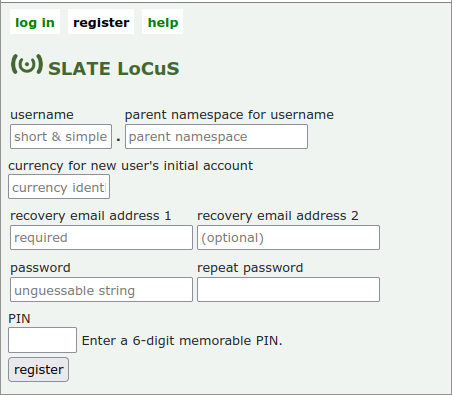
If you aleady know which currency with which you wish to start, and the community (namespace) in which you wish to register your primary identity (login identity), you can use the full registration form (reached, when not logged in, by clicking on register) at the top of the page.
Here you need to enter your details into the form shown to the right. You will need to know the namespace (community) in which your primary identity will be registered and the currency you intend to use initially.
You will also have to enter:
- A username (a short string of letters and numbers, the first of which must be a letter);
- at least one email address (for recovery purposes);
- a password (choose something difficult to guess but not too difficult to remember); and
- a 6-digit PIN.
Your your username concatenated with the namespace string) form your login identity (primary identity) and must be unique. (If the username has already been registered in the specified namespace you will be prompted to try another.
Upon registration, an initial account is created for you in the specified currency. This enables you to begin interacting immediately with anyone else using the same currency and (one of) whose (account-holder) identities you know.
Registration by invitation
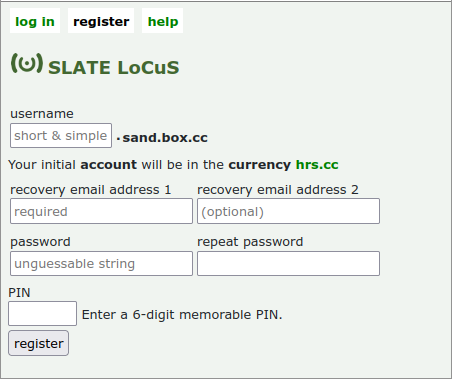
Alternatively, if you are joining by invitation (usually by scanning a QR code) the currency or namespace (most probably both) will have been specified already and you will be taken directly to a slightly simplified version of the registration form.
In this example, you are being invited to register an identity in the namespace sand.box.cc and to make use initially of the currency hrs.cc.
Registration example
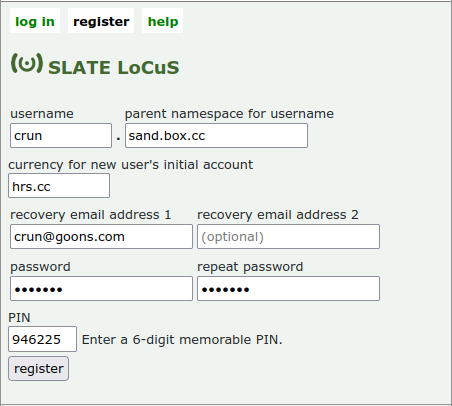
In this example, username crun is registered in the namespace sand.box.cc.
Upon registration, the following message would have been displayed:
"A login identity, an account-holder identity, a currency and a namespace have been created using the identifier crun.sand.box.cc."
The new user can now log in using the details saved.
Recovering login access
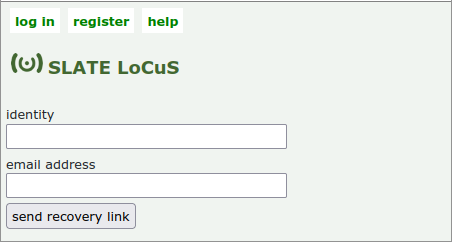
The recovery email address provided will not be verified. If you do not enter a valid email address you will not be able to recover a lost login later.
The email addresses are not stored. Instead, a cryptographically secure hash of each email address is saved and used to authenticate any recovery request at at a later time. Therefore, if you forget your password or PIN, you can enter an email address which will be validated before a one-time recovery link is sent (after which the email address entered will be discarded immediately).
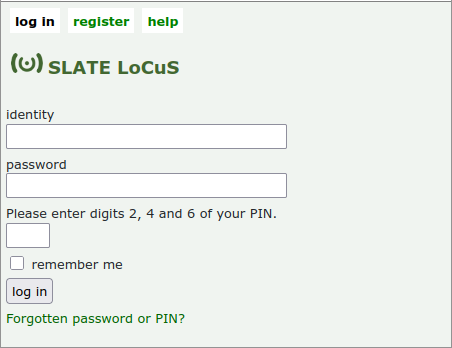
Logging in
To log in, simply enter
- your login identity;
- your password (which your browser will remember for you); and
- the three digits requested from your PIN (which you will have to remember yourself).
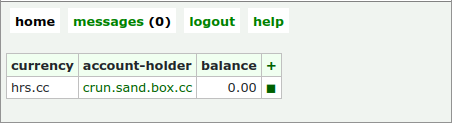
Home screen (initial)
Upon logging in for the first time, the new user will see a very simple home screen containing a table with a single row showing the initial currency (in this case hrs.cc), the initial account-holder identity (identified by the same string as the login identity) and its balance in that currency.
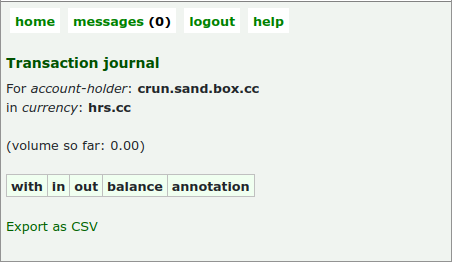
A pairing of a currency and an account-holder identity (ahid) is called an account. Every account has a balance which may be positive or negative. The balances of all the accounts in a particular currency add up to zero.
Clicking on the ◼ character provides access to the transaction journal for this particular account. At this point, no payments having been made, this is obviously not going to be very interesting.
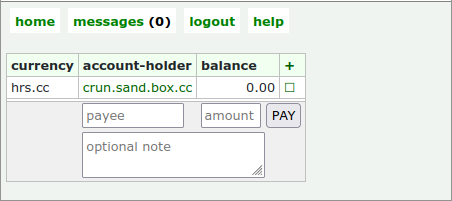
Making a payment
To make a payment, click on the account-holder identity from which you wish to pay. In this case, you have only one option so far: crun.sand.box.cc (but you will be able to create more later, as required).
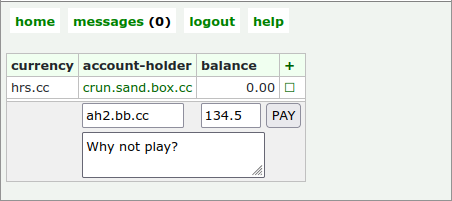
This will open a simple form in which you can enter the following:
- the account-holder identity (the payee) to which you are making this payment);
- the amount; and
- an optional note.
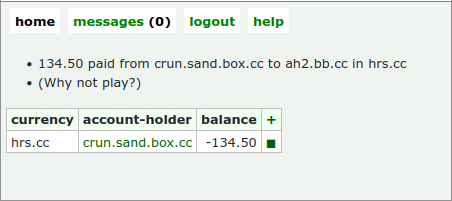
Clicking on PAY then returns you to the home screen with a confirmation message. At the same time, the primary identity (login identity) to which this payee account-holder identity payee receives a message which
- identifies the payer (an account-holder identitiy, of which may have more than one) - (in this case hrs.cc);
- the currency in which this payment has been made;
- the amount paid; and
- (optionally) the resaon for the payment.
The table now displays your new balance.
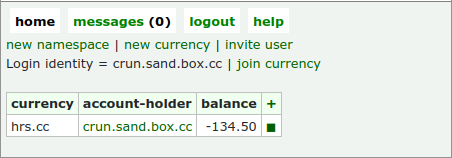
Opening the menu
Clicking on the + in the upper right corner of the home screen table opens a menu through which you can
- create a new currency:ahid pairing (account);
- create a new currency (of which you will be the initial steward);
- create a new namespace (of which you will be the initial steward); or
- create a new QR-code invitation (specifying the namespace, currency or, more usually, both).
Clicking on the + again hides the menu.
Not yet complete
Copyright © 2025 John Waters. Last updated 2026-02-23